
Executive Summary
There is a lot to read about AI. New tools show up every week. New articles show up every day. It is too much for one person to follow, and that is not your fault. But you do not need to read it all to get started. You only need to answer six questions, in the right order: who should be in the room, what you are building, where to start small, why now, when to grow it bigger, and how the first ninety days should go. This guide answers all six, one at a time, for someone starting from zero.
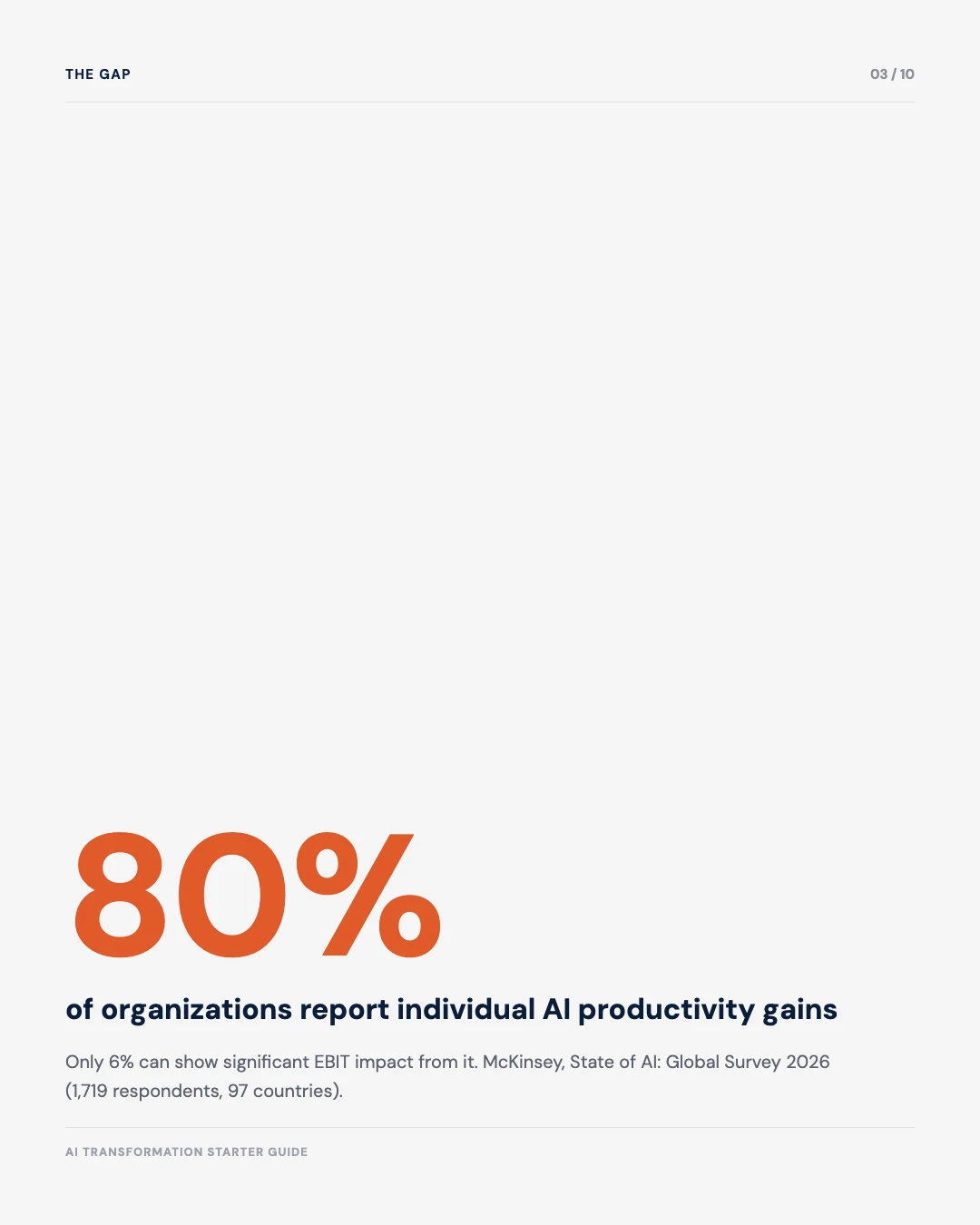
80%
of organizations report individual productivity gains from AI, McKinsey State of AI: Global Survey 2026
6%
of organizations McKinsey classifies as AI “high performers” with significant EBIT impact, same survey
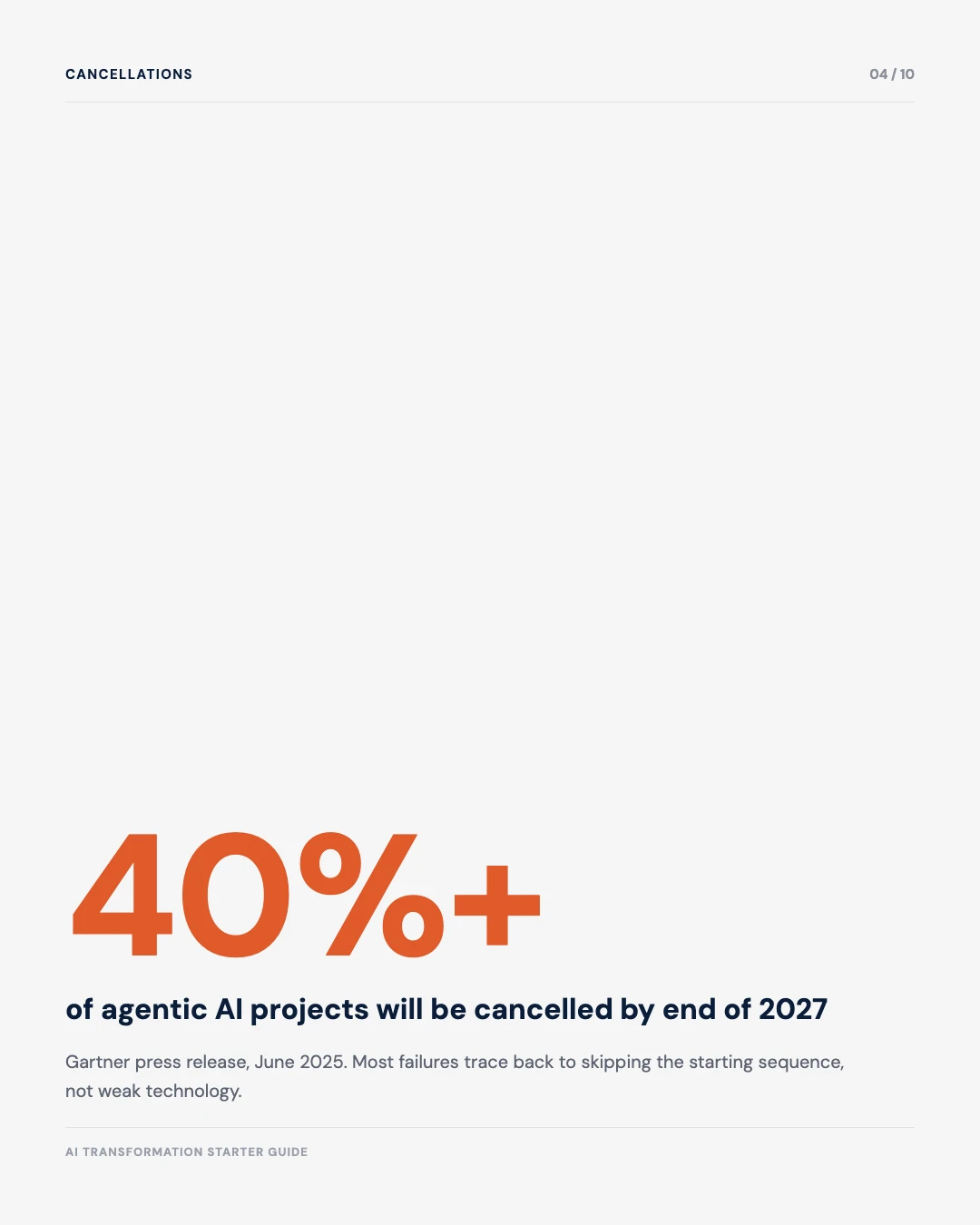
40%+
of agentic AI projects will be cancelled by end of 2027, Gartner press release, June 2025
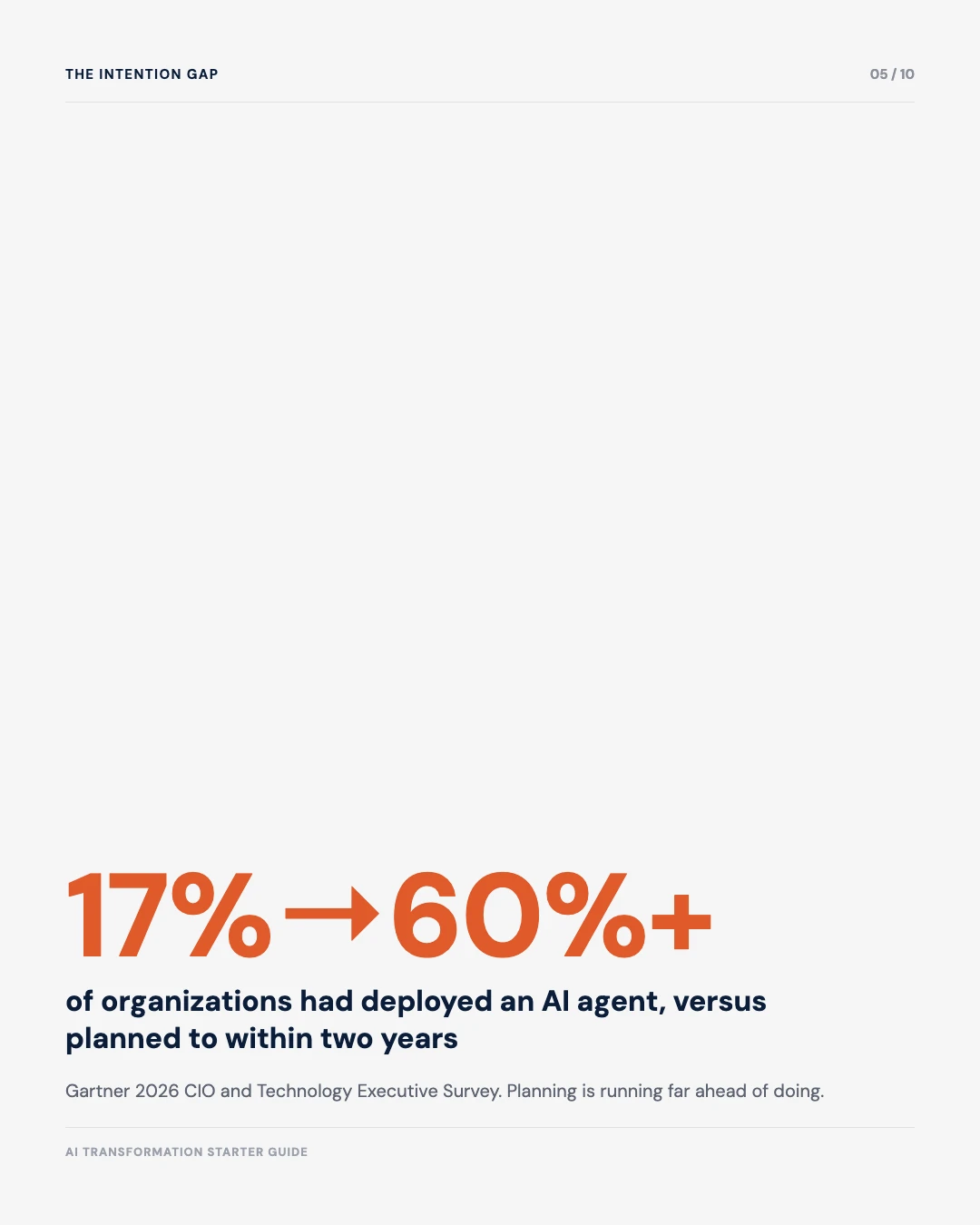
17% → 60%+
of organizations that had deployed an AI agent versus planned to within two years, Gartner 2026 CIO Survey
Core conclusions
- 80% of people feel more productive with AI. But only 6% of companies can show it helped their profits. That gap is not about bad technology. It is about skipping steps.
- There is one right order to start in: name a leader, pick one task, build a small team, run a ninety-day test. Skipping steps is the top reason projects stall.
- You do not need to read AI news every day. Check in every few months instead. This guide shows you exactly what matters and what to skip.
The six-question starting sequence, ten slides
Save it, share it, or send it to whoever on your team keeps asking where to start.

The Roadmap
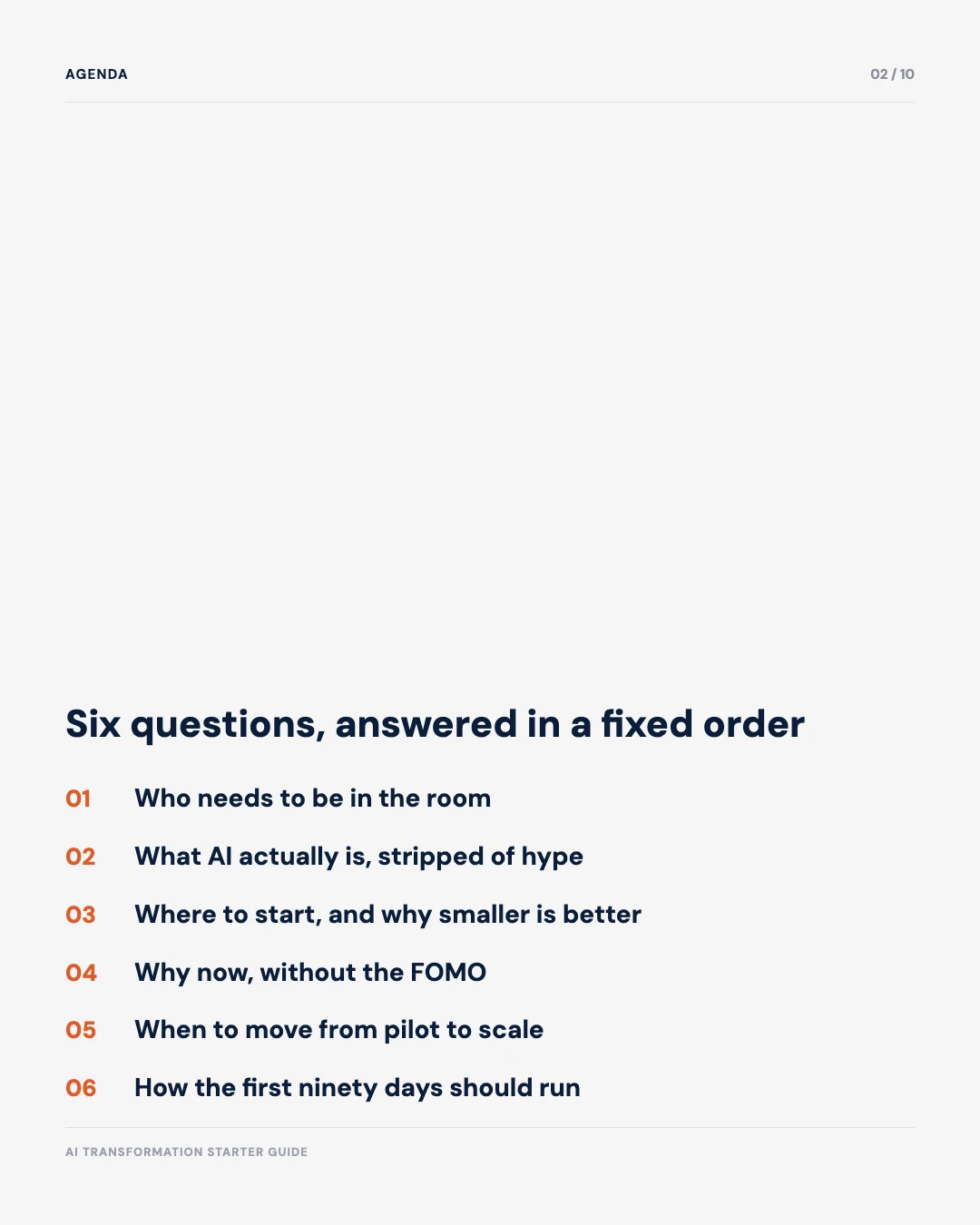
Six questions. Answer them in this order.
Who
Who needs to be in the room
What
What AI is
Where
Where to start small
Why
Why now, not later
When
When to grow it bigger
How
How the first 90 days go
Why AI feels impossible to start with right now
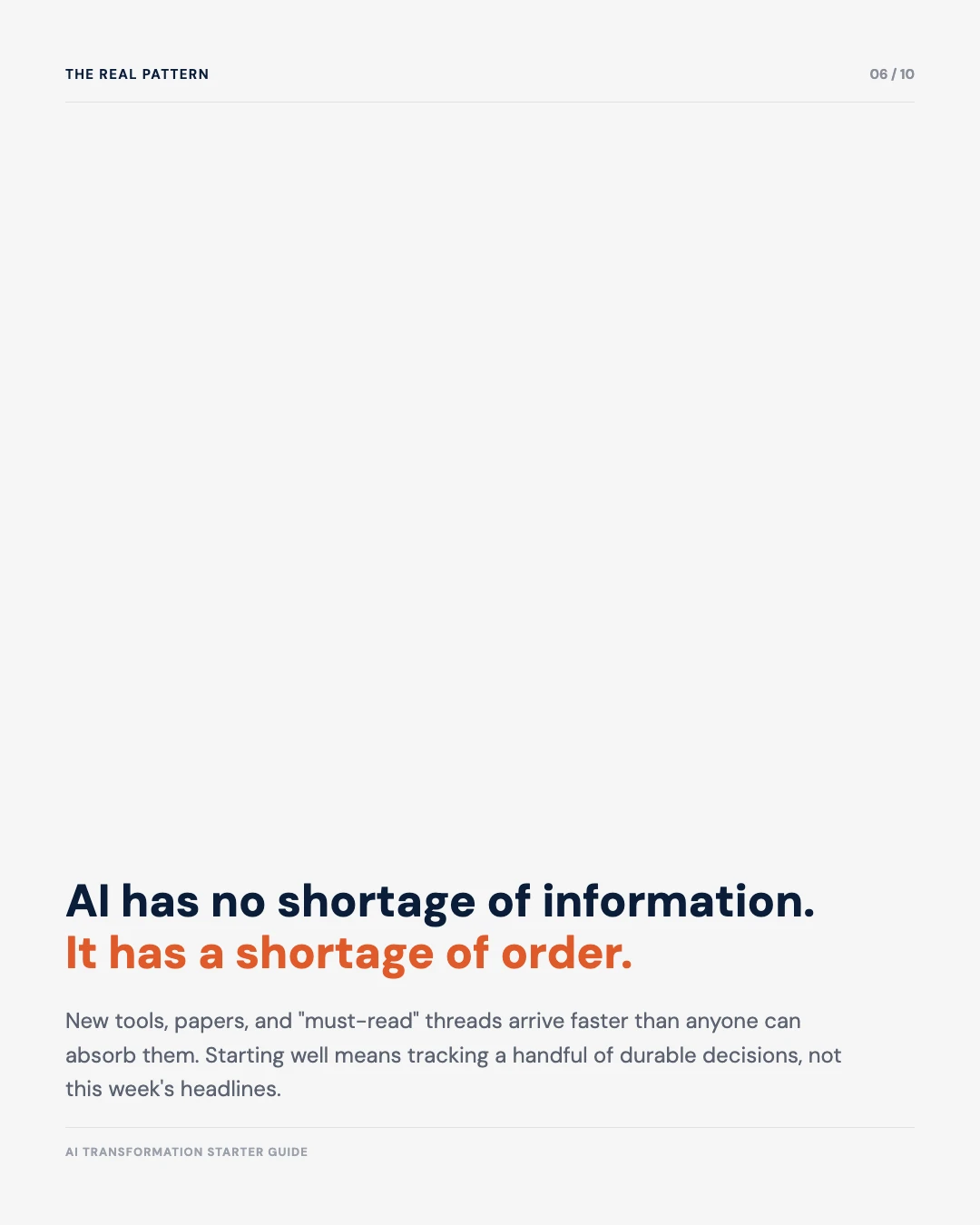
Open any AI newsletter. You will see a new model. A new benchmark. A new warning. A new “must-have” tool. All in the same week. None of this is your fault, and almost none of it matters for your first step. New AI labs release something almost every week. Analysts publish new reports every few months. Companies publish new case studies every day. If you try to “catch up” before you start, you will never catch up. The list moves faster than any one person can read.
The real fix is not reading faster. It is accepting that most of that daily news does not apply to your first move. Getting started with AI at work really comes down to six solid decisions, not knowing this week’s new model. This guide gives you those six decisions once. You will not need to look them up again every time a new headline shows up.
| What to watch | What to skip |
|---|---|
| What your main AI tool can now do, checked every few months | Every new model release or leaderboard score |
| The AI rules that apply in your country | Opinion pieces and future predictions |
| How your own test project is doing, checked every week | What competitors say about AI, unless they name something you are missing |
| One trusted source for each team: rules, tech, and people | Everything else. Skip it on purpose. |
What AI is, stripped of the hype
Before you write any strategy, it helps to know three words. These three words cover almost everything you need to know about AI at work.


01 · The Foundation
LLM (Large Language Model)
An LLM is a computer program trained on a huge amount of writing, like books, articles, and websites. It learns the patterns in that writing, the way one sentence usually follows another. Then it can answer questions and write new text that sounds natural. ChatGPT and Claude are built this way. On its own, an LLM only talks. It cannot open a file, send an email, or change anything in your systems. Think of it as a very good writer sitting at a desk, not yet a worker walking around your office. Look it up any time in the AI glossary.

02 · The Grounding
RAG (Retrieval-Augmented Generation)
An LLM only knows what it learned during training. It does not know your company's own documents, prices, or policies, and it will confidently guess if you ask about them. RAG fixes this. It connects the LLM to your real files first. When you ask a question, the system looks up the right document, then writes an answer using real facts from your own business instead of a guess. This is safer than letting the LLM answer from memory alone, and it is usually the first serious AI project a company builds, because the risk is lower than letting a system act on its own. See the full definition in the AI glossary.

03 · The Risk And The Power
AI Agent
An agent goes further than a chat tool or a lookup tool. It can break a goal into steps, decide what to do next, and use other systems along the way, like a database, a calendar, or a search tool. It does not just answer one question and stop. It keeps working toward the goal on its own. This is powerful, but it is also where most of the risk sits. A tool that can only talk can only get a sentence wrong. A tool that can act can take the wrong action, faster than a person can catch it. This is why most AI project cancellations happen at this layer, not at the LLM or RAG layer. The AI glossary has the fuller definition, including where agents fit next to LLMs and RAG.
Almost every company moves through these three in order: an LLM helper first, then RAG once there are real documents to connect, then agents once the first two work well. Skipping straight to agents is one of the biggest reasons AI projects get cancelled, and it is a big part of why Gartner expects 40%+ of agentic AI projects to be cancelled by the end of 2027.
Who needs to be in the room before you write a strategy
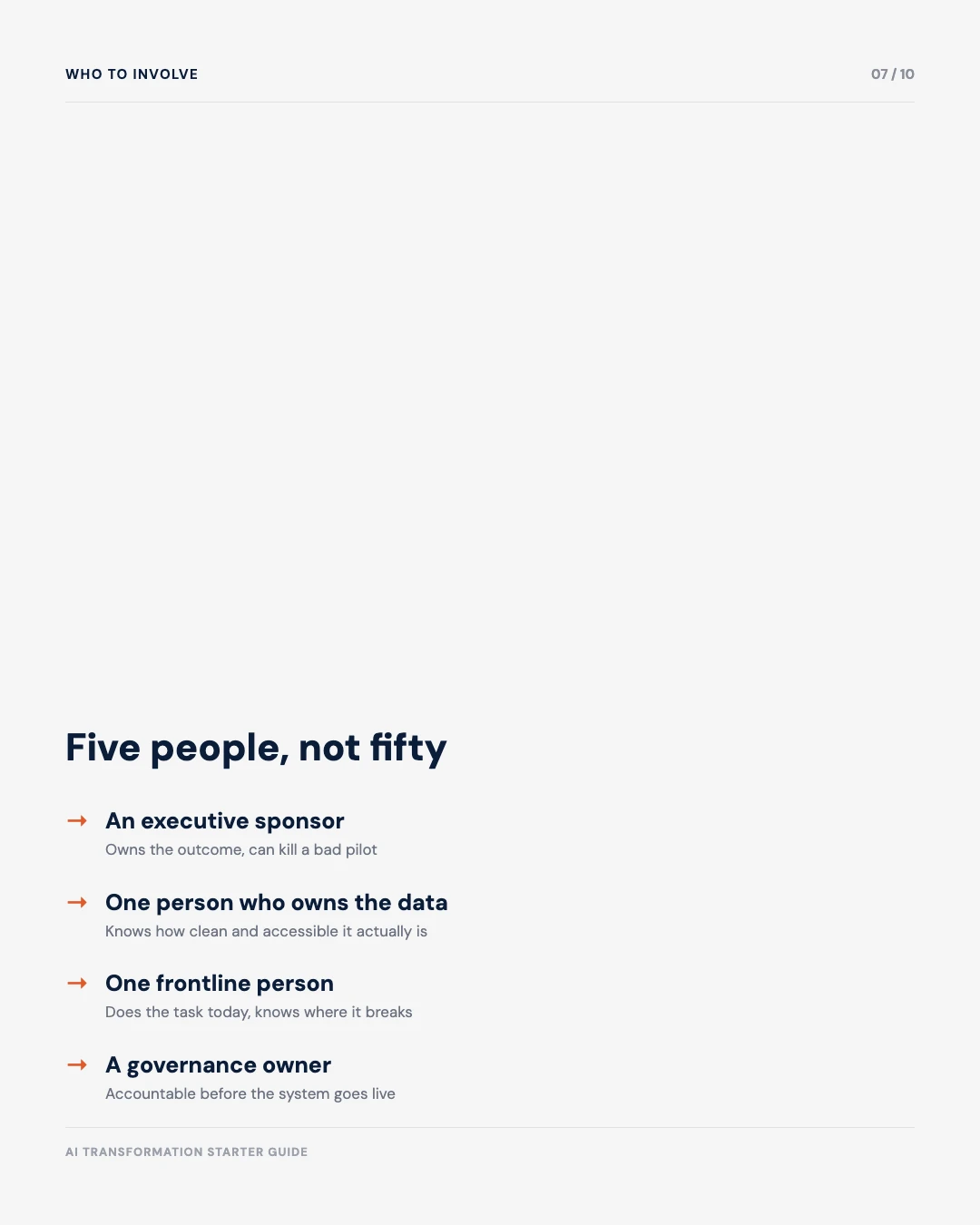
AI projects rarely fail because of bad technology. They fail because the wrong people are in the room, or the right people are never in a room together at all. You need five people. Not fifty. Here is exactly what each one owns.

Role 1 · Owns The Outcome
Executive Sponsor
The executive sponsor is the one person who can say yes to scaling a good pilot and no to a bad one, without calling a meeting first. Their job is not to write code or check data. Their job is to remove blockers, protect the budget, and take responsibility if the first project fails honestly. Before the project starts, they set the goal and the deadline. During the project, they clear away office politics and slow approvals. At the end, they make the call: grow it, fix it, or kill it. Without this person, a project drifts until someone senior notices and asks an awkward question in month six. Once they are ready to commit, the half-day AI Governance & ROI Executive Programme gives them a scored baseline to decide from.

Role 2 · Knows What Is Real
Data Owner
The data owner can tell you, honestly, what your data looks like today, not what the system diagram says it should look like. Their job is to say where the data lives, who can access it, how old it is, and how many gaps or errors are hiding in it. Before the project starts, they pull a real sample and check it by hand. During the project, they are the person the technical lead calls when the AI's answers look wrong, to check whether it is a data problem or a model problem. Without this person, teams build on data they assumed was clean, and only find out it was not three months in. The AI Data Architecture Decision tool helps them map exactly where the data lives before anyone commits to a project.

Role 3 · Knows Where It Breaks
Frontline User
The frontline user is the person who does the actual task today, by hand, before any AI touches it: the real person, not their manager and not a job description. Their job is to show, step by step, how the task gets done, including the shortcuts nobody wrote down. Before the project starts, they walk the technical lead through the task in real time. During the project, they are the first to test the AI's output and say plainly when it is wrong. Without this person in the room, teams build a system that matches the official process on paper and fails the moment it meets how the work happens. Their read on where the task breaks is exactly the input the AI Use Case Prioritisation Matrix asks for.

Role 4 · Owns The Rules
Governance Owner
The governance owner makes sure the system follows the rules before it goes live. Their job is to set a plain rule for what the AI is allowed to do on its own, and what needs a person to check it first. Before the project starts, they write that rule down on one page, not a long policy nobody reads. During the project, they review real output regularly. When a mistake happens, and one eventually will, they already have a plan for catching it and fixing it. Without this person, a project runs unsupervised until a mistake becomes a headline instead of a quiet correction. The AI Trust, Risk & Governance Dashboard scores exactly this: policy currency, review points, and where the gaps are.

Role 5 · Knows What Is Possible
Technical Lead
The technical lead, inside the company or brought in from outside, can tell the difference between what is realistic in ninety days and what belongs on a much longer roadmap. Their job is to turn the frontline user's real process into a working first version, using the narrowest set of tools that could plausibly help. Before the project starts, they scope the smallest version worth testing. During the project, they build it, test it against the baseline, and say honestly when something is harder than it looked. Without this person, ambition outruns what can be shipped, and the ninety-day plan becomes a nine-month plan. If build vs. buy vs. partner is the open question, the tool right below answers it in seven questions.
Five people, not fifty. A committee of twenty people is a common way projects stall before they even begin. Five people who can make a real decision, in one room, move much faster and pick a better first project.
If you run a small company, you likely do not have five different people to spare. That is fine. What matters is that each of these five jobs has an owner, not that five different people fill five different chairs. In a small team, the same person can reasonably hold the sponsor and technical lead hats, or the data owner and governance owner hats. Just make sure someone, even if it is one person wearing three hats, is accountable for each job on the list.
Free tool
AI Build vs. Buy vs. Partner
Answer 7 quick questions. Get a clear answer: should your technical lead build it, buy it, or find a partner?
Start smaller than you think
Most people want to start big: a full customer-service overhaul, a complete supply-chain rebuild. Do not do this. The companies that make money from AI did not start big. They picked something small, proved it worked, then grew from there.
A good first project has three things going for it. One, a real person does this task today, so you have something to compare against. Two, you can get the data you need without a six-month IT project. Three, a mistake is easy to fix, not a disaster. Drafting a first customer reply. Summarizing a pile of documents. Flagging errors in a report. These are all good starting points. Approving a loan is not. Not yet.
Where you start also depends on where your company stands today, not where you wish it stood. Skip that honest check, and you could spend months building out a full plan, only to discover partway through that the data underneath it was never ready.
Free tool
Organisational AI Readiness Quiz
17 quick questions about your data, your team, and your tools. Get a simple roadmap for where your first ninety days should begin.
Two honest reasons to start now
There are two honest reasons to start an AI project now. Neither one is “everyone else is doing it.”
First, your people are probably using AI already. McKinsey’s 2026 survey found that 80% of organizations see people getting more done with AI. Your team is very likely doing this too, with tools nobody officially approved. Starting a real project brings that usage out of the shadows and gives it proper rules.
Second, only 6% of companies can show that AI helped their profits. That gap between “it feels faster” and “it made more money” will not close on its own. It closes by following the steps in this guide: one leader, one small project, one honest test, then a clear plan to grow. The technology is not what is holding most companies back. The order is.
Productivity gains against profit impact
Sources: McKinsey, State of AI: Global Survey 2026 (1,719 respondents, 97 countries); Deloitte, The State of AI in the Enterprise, 2026 (3,235 leaders, 24 countries). Two different surveys shown side by side.
When to move from a small test to something bigger
A small test earns the right to grow. It does not earn that right just because it feels like it is going well. It needs to pass three checks first.
- It ran on real work, not a demo, for a real stretch of time, usually two to three months.
- You can show real numbers, not a feeling, proving it is faster, cheaper, or more accurate than before. The AI ROI Calculator is built for exactly this comparison.
- Your safety check, who reviews the work and how mistakes get caught, has caught a real mistake and held up.
Deloitte studied 3,235 leaders across 24 countries and found that 66% of organizations already see gains from AI. But growing from a small test into real, everyday use is often slower than leaders expect. That gap tends to open when a team grows a project because it feels exciting, not because it passed the three checks above. Passing all three takes longer than growing off a good demo. It is also the difference between a project that lasts and one that gets replaced by manual work again.
How the first ninety days should go
Here is the order, step by step. Each step needs the one before it to be finished first. The biggest mistake is skipping ahead, straight to “give it more tools” or “roll it out to everyone.” That is how most first AI projects stall.
The Full Timeline
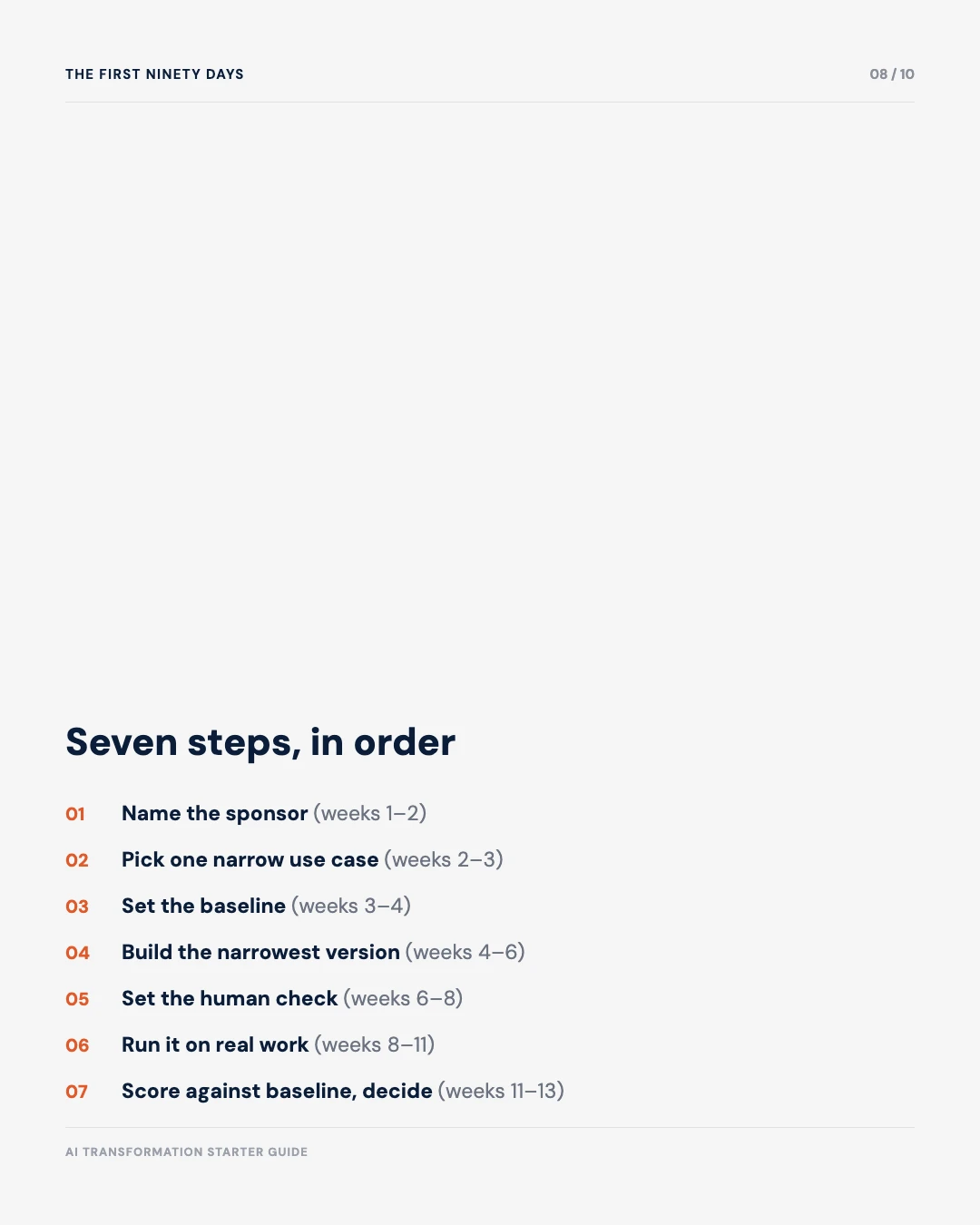
Thirteen weeks, seven steps, one at a time
Notice the bars barely overlap. Each step gets its own block of weeks, and the next one only starts once the last one is done. Now here is the same plan broken into the two halves, with what “done” looks like for each step.
Weeks 1 to 6: get ready
First, get the basics in place before anything gets built.
Weeks 1–6
Get ready
Name your leader
Weeks 1–2. Pick the leader and the five-person team.
Pick one task
Weeks 2–3. Choose one small, real task to fix first.
Set your starting point
Weeks 3–4. Document how slow, costly, or wrong the task is today, and every step it takes to do it, however small.
Build the first version
Weeks 4–6. Build the smallest version that could plausibly help.
Weeks 6 to 13: run it and check it
Then, put it to work and grade it honestly.
Weeks 6–13
Run it and check it
Add a safety check
Weeks 6–8. Decide who reviews the work, and how.
Run it on real work
Weeks 8–11. Real people, real tasks, every day. Not a demo.
Score it and decide
Weeks 11–13. Compare it to your starting point. Then decide: grow it, fix it, or stop it.
Notice what is missing from this list. No company-wide rollout. No big change-management campaign. No new platform purchase. Those come later, and only for the projects that pass the ninety-day test. Trying to do everything at once, in week one, is exactly how the flood of AI news turns into a flood of failed AI projects.
That covers the order. It does not cover who on your five-person team does what at each stage, and that is usually where a plan that looked clear on paper starts to stall. Who Does What in Your First Ninety Days of AI breaks all seven stages down role by role.
Free tool
AI Use Case Prioritisation Matrix
Score up to five project ideas. Get a ranked list, so week 2 above starts with the right one.
The one page you need
The One Page You Need
Five steps. That is the whole guide.
- 1Name one leader. One person who can say yes or no.
- 2Pick one small task. Real, a little boring, and easy to check.
- 3Add a human check. Someone reviews anything risky before it goes out.
- 4Run it for real, for 8 to 12 weeks. Not a demo.
- 5Score it honestly. Then decide what comes next.
Everything you read in the daily AI news fits inside one of these five steps, or it is noise you do not need yet. You have plenty of time to become an expert later. Right now, you just need to start.
Where to go next on this site
This guide is short on purpose: six questions, one order. Once you know what you need next, here is exactly where to find it.
Learn the words
New terms like LLM, RAG, and agent, explained in plain language.
Check your readiness
A quick quiz that scores where your company stands today.
Build, buy, or partner?
Answer 7 questions and get a clear answer for your first project.
Go deeper on one topic
Strategy, governance, agents, or readiness, explained in full.
Train your team
A half-day programme for your leaders and managers.
Talk to me directly
Get a second opinion on your first move before you commit.
Ten posts worth reading next
This guide is short on purpose. It only covers six starting questions. But once you are running your first project, you will want more depth on specific pieces of it. These ten posts were picked for a reason. One is the direct role-by-role companion to this guide. Three go deeper on planning before you start. Two are for once you are building. Two cover the safety and trust side. One covers the money side. One covers the bigger picture behind all of it.

Who Does What in Your First Ninety Days of AI
This guide gives you the order. That one gives you the owner: for each of the seven stages above, exactly what the executive sponsor, data owner, frontline user, governance owner, and technical lead each need to do.

Zero to One AI Business: Pre-Planning Considerations and Success Factors
Goes deeper on the planning work behind this guide's 'Where to start' section. What makes an AI idea new, instead of just your old work done a bit faster.

Why Your Choice of First AI Use Case Will Make or Break the Programme
MIT research found most pilots fail because of the task picked, not the AI itself. Six clear tests to help you pick the right first task.

The Avenger Tower Fallacy: Why Your AI Strategy Is Failing Before It Starts
A warning about a common and expensive mistake: buying AI tools before training a single person to use them well.

How to Build Your First AI Agent at Work: A Simple, Step-by-Step Guide
The direct next step. Once your ninety-day plan is running, this walks you through building your first real AI agent, in the same plain style as this guide.

Shadow AI Is Already Inside Your Organisation
Goes deeper on the 'your people are already using AI' point from the 'Why now' section. Workers at over 90% of companies already use personal AI tools at work.

Beyond the Pilot: A Risk Governance Framework for Scalable AI Deployment
For your governance owner. The full framework behind the safety checks this guide only sketches, built for when AI moves from a small test into real infrastructure.

The Black Box Problem and How to Engineer Around It
For anyone uneasy about trusting a system they cannot fully explain. Why some AI systems stay a mystery, and how to manage that honestly instead of pretending otherwise.
AI Companies Actually Printing Revenue in 2026
Goes deeper on the ROI story behind the 6% stat in this guide. A close look at which AI companies make money, and what that says about where the value sits.

92 Million Jobs Will Disappear by 2030. Arguing About It Won't Save Yours.
The stakes behind 'why now.' A clear-eyed look at the World Economic Forum's job numbers, and what to do about your own exposure.
Evidence & Methodology
Three of these come from named surveys. The fourth is just the order I use myself, with real clients. No study proved it. It has worked for the people I’ve used it with.
| Claim | Source | Grade |
|---|---|---|
| 80% of organisations report individual productivity gains, but only 6% show significant profit impact | McKinsey State of AI: Global Survey 2026 | Measured |
| 40%+ of agentic AI projects will be cancelled by end of 2027 | Gartner, 2025 | Forecast |
| 66% of organisations see AI gains, but scaling from a small test to real use runs slower than leaders expect | Deloitte, 3,235 leaders across 24 countries | Measured |
| Six questions, answered in this order, is the right way to start | My own method, used with real clients | My method |
Sources
- The Register. (2026, August 25). McKinsey Says Enterprise AI Is Finally “On the Road to ROI”, citing McKinsey’s State of AI: Global Survey 2026 (1,719 respondents, 97 countries).
- Gartner. (2025, June 25). Gartner predicts over 40% of agentic AI projects will be canceled by end of 2027 [Press release].
- Gartner. (2026). Hype Cycle for Agentic AI, 2026, citing the 2026 CIO and Technology Executive Survey.
- Deloitte. The State of AI in the Enterprise, 2026 AI Report, 3,235 leaders across 24 countries.
Still not sure where to start? That is exactly the conversation my consulting work begins with.